AERONET Instrument Troubleshooting Interface - Solutions for DIURNAL DEPENDENCE FLAG Flag
Description A valid AOD time series should not show a systematic daily pattern tied to solar elevation. This flag is raised when AOD values across multiple days consistently peak near solar noon and decrease symmetrically toward morning and evening, tracing an inverted parabola shape. This artificial diurnal signal is typically caused by a partially obstructed collimator that affects the optical path differently depending on the angle of incoming sunlight throughout the day.
Condition(s) Check all good level 1.5 days (80% of all solar measurements are processed to level 1.5, and there are at least 25 of them). For the first half of the day, run regression of AOT vs 1/m (m is air mass) for all channels and find minimal slopes for all good days. Flag if minimum slope is greater than 0.1, which means a constant diurnal dependence which could be a result of something in the collimator.
How To Check/Test Look at daily AOD plots on AERONET website. Diurnal dependence is characterized by an inverse parabola (frowning face) with a peak at solar noon. Occurrences on a single channel are likely impossible to fix in the field. Occurrences on all or most channels may be possible to fix in the field. The problem is more severe if it is repeating on multiple days for most channels and therefore resulting in a loss of most data.
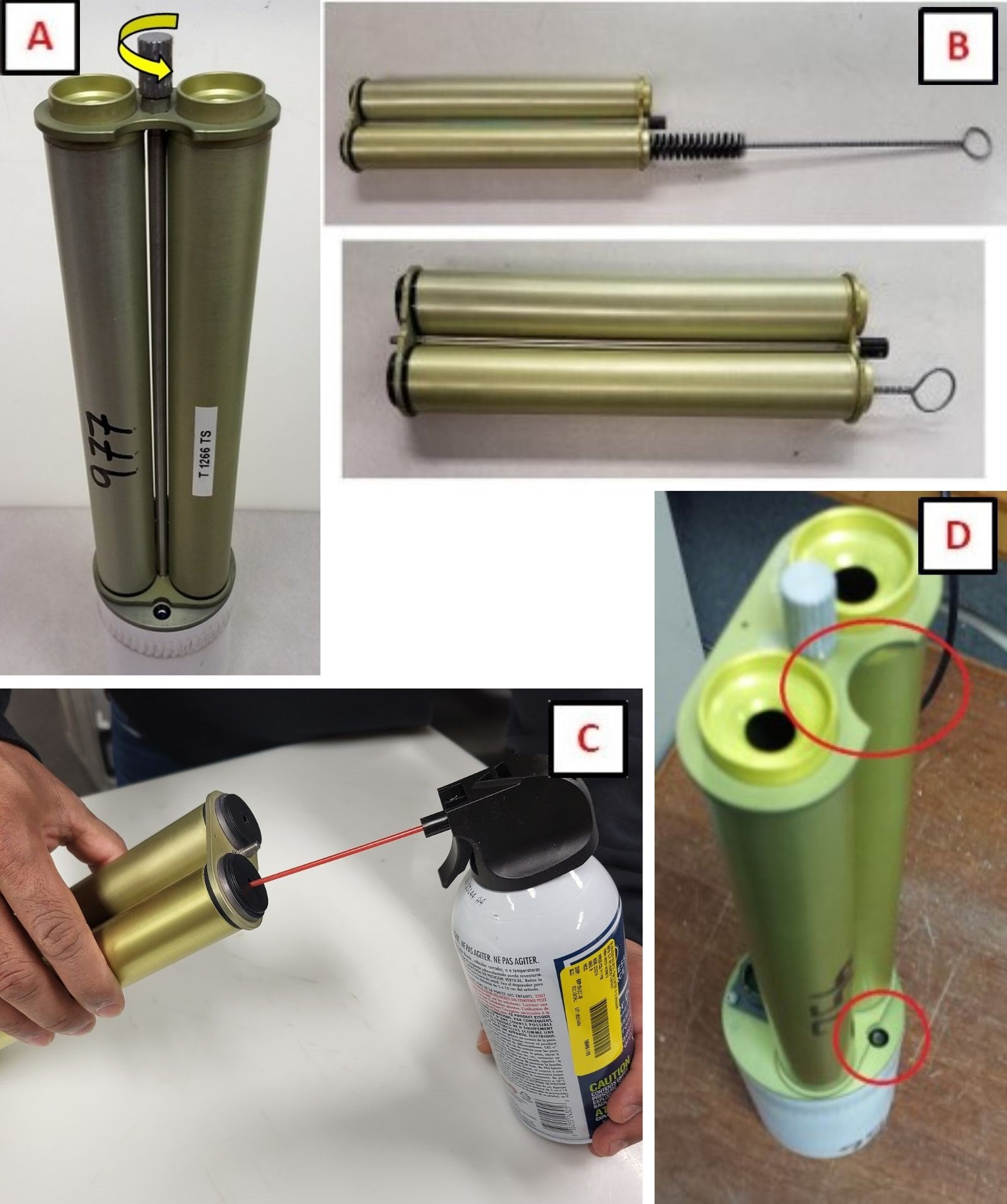
Solution Level 1 (< 5 minutes) 1. Remove collimator and check inside for webs or other obstructions and clean collimator tubes. (See Collimator Cleaning) 2. Inspect the lenses for significant contamination or residue. If found, do not clean. Take a picture and send to AERONET. 3. Ensure collimator is installed in the correct orientation
Solution Level 2 (more involved) 1. Remove the collimator on a sunny day for a few hours and inspect the data. If the data looks better, inspect the collimator closer and make sure the baffles are not loose
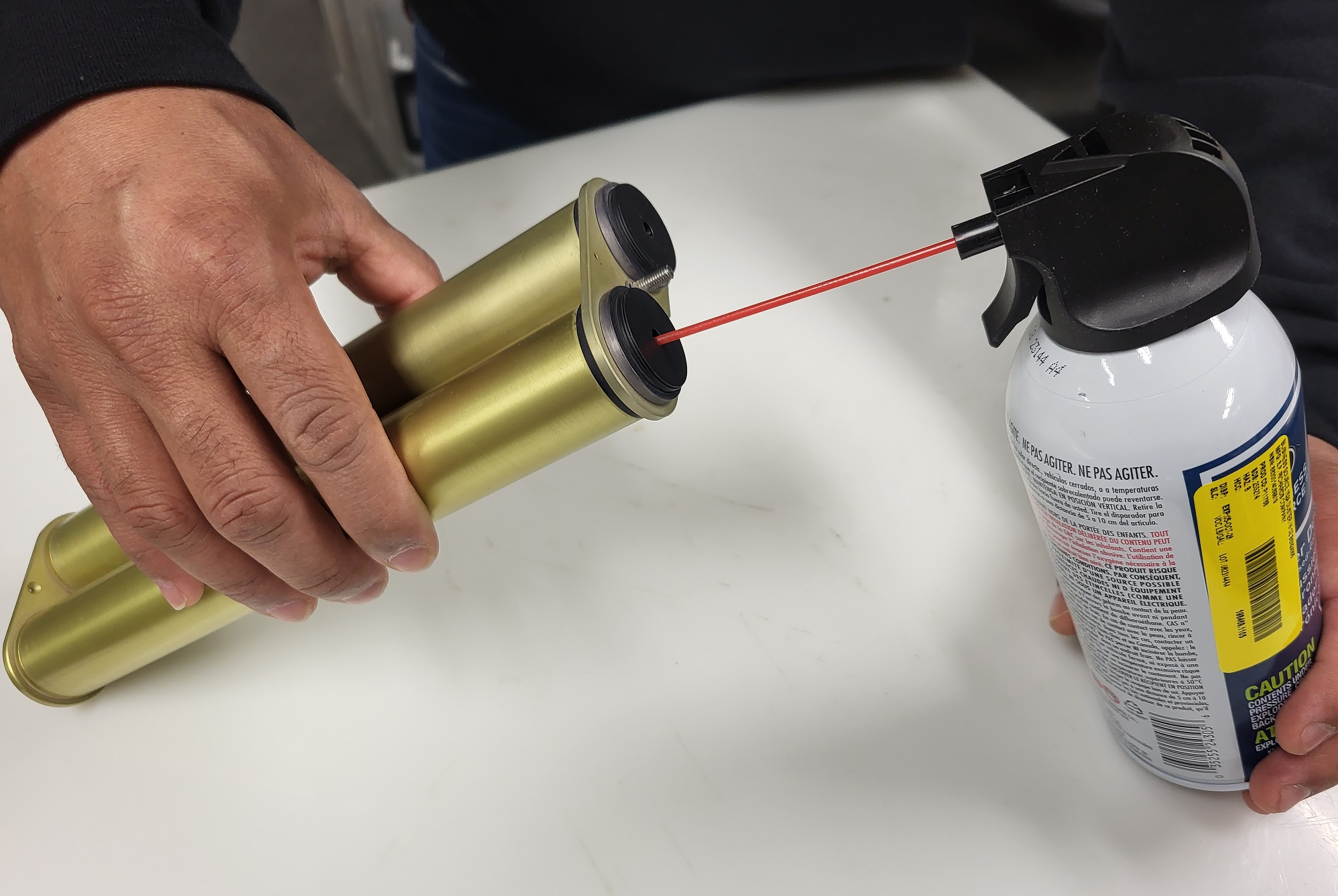
2. With the collimator removed, use compressed gas (keyboard cleaner) to blow out any debris by inserting the straw into the smaller aperture. (See Collimator Clean with Air)
Solution Level 3 (last resort) 1. Confirm that the gains have not been changed (Model 4 and 5 ONLY; ask AERONET). 2. Return instrument for maintenance.